

Phone and offline
The panel also works on a phone and can be installed as an app (PWA). Screens adapt to the role.
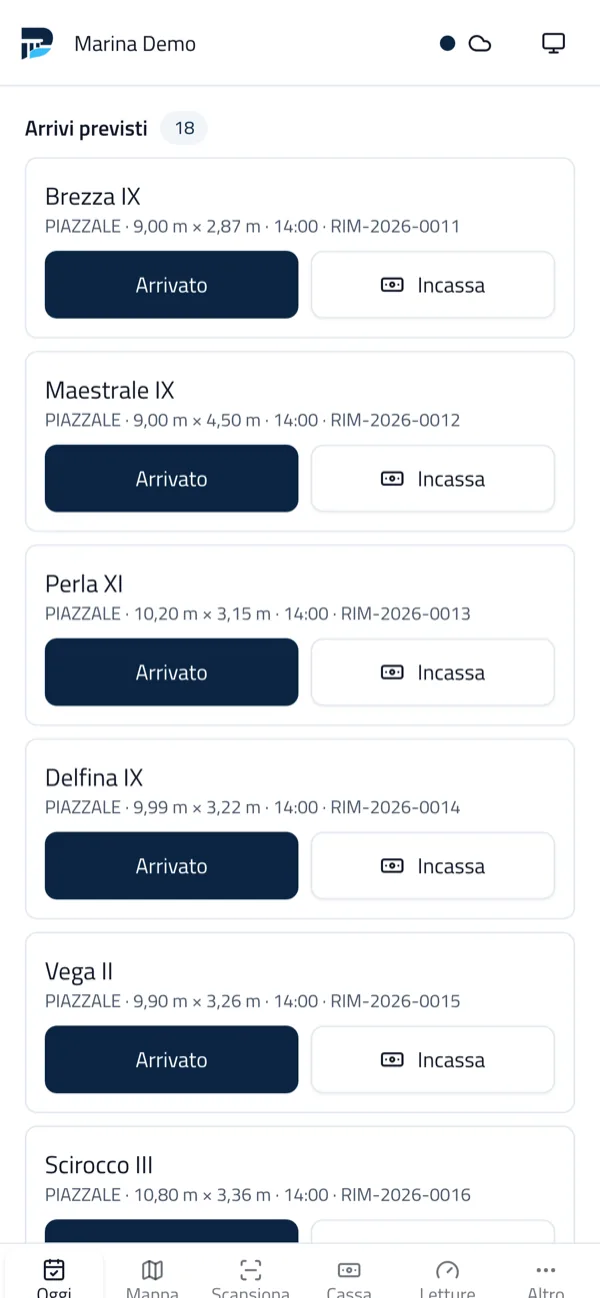
Screens by role
Section titled “Screens by role”- Dock (dock staff): Oggi (Today) with expected arrivals and departures, boats in port, away and arrived without a booking; Mappa; Scansiona (Scan) for the transit QR; Cassa (Cash); Altro (More) with releases and blocks. Buttons Arrivato (Arrived), Partito (Departed), Incassa (Collect), photo, note, boat measurement and Arrivo non previsto (unexpected arrival). A departure with an overdue balance is flagged, never blocked.
- Management: dashboard, map and deadlines of the next 30 days.
- Boatyard: the day’s tasks, hour timer, checklists and photos.
- Dry storage and lifting equipment: yard moves and the day’s calendar.
- Rentals: check-outs and returns with on-screen signature.
The full panel is always reachable from the phone too.
Pairing a phone
Section titled “Pairing a phone”In Dispositivi (Devices) create the pairing code or QR and scan it with the phone: the device receives a token bound to the user and the marina, revocable at any time. With the desktop app, phones connect over the marina Wi-Fi (Desktop app).
Offline queue
Section titled “Offline queue”When the dock network drops, the panel queues the allowed operations: arrivals and departures, photos, meter readings, worked hours, maintenance outcomes, rental checklists and payments. It sends them when the connection returns, without duplicates: each operation carries an identifier and the server applies it once. The indicator at the top shows the network state and the queued operations.
Other operations (for example creating a contract) need the network.


Porto is developed by Coste360 SRL. Source available under the BSL 1.1; the Porto trademark is not covered by the licence.